Understanding the Image Variation Generator
The advent of artificial intelligence (AI) has transformed the way we create, manipulate, and perceive images. One fascinating application of AI in photography and design is the image variation generator, a tool that enables users to make specific modifications to existing photographs while retaining the overall composition. This innovation has opened up a world of possibilities for artists, marketers, and everyday users looking to refine their visuals without requiring extensive editing skills.
What is an Image Variation Generator?
An image variation generator is an AI-powered tool designed to alter photos by making specified changes to one element while keeping the rest of the image intact. The user simply uploads an image and provides explicit instructions on what to change. For instance, you might instruct the tool to change a red bag to blue or transform a sunny scene into a rainy one. The generator processes this input quickly and produces a new image reflecting the requested variation, all while preserving crucial details like lighting and composition.
Key Features of Image Variation Tools
- Single-Element Transformation: The ability to change one aspect of an image while preserving the original's integrity is a standout feature. This approach allows for focused alterations without overwhelming users with complicated editing processes.
- Speed and Efficiency: Most image variation generators can produce altered images in just a few minutes, making them ideal for quick creative tasks.
- User-Friendly Interface: Many tools feature intuitive designs that cater to users of all experience levels, from beginners to professional photographers.
- Quality Retention: Advanced image processing ensures that the modified photo maintains a high standard of quality, including clarity and detail.
Who Can Benefit from These Tools?
Image variation generators are versatile tools that can serve a wide range of users, including:
- Photographers: Professionals can use these tools to explore creative concepts or to produce variations of a shot for client presentations.
- Marketers: Businesses can generate multiple versions of a product image to test consumer preferences or tailor visuals for different demographics.
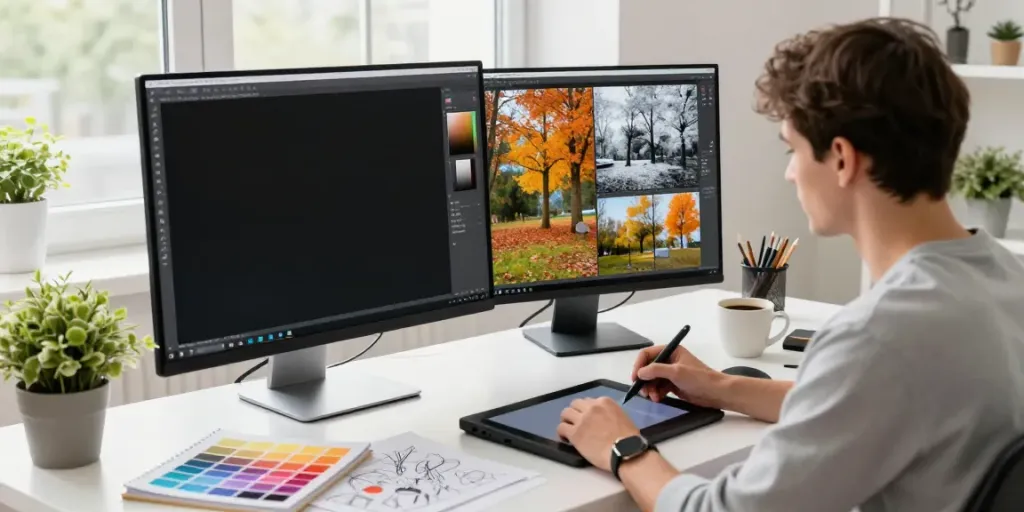
- Graphic Designers: Designers can quickly create alternate visuals for projects, aiding in brainstorming and concept development.
- Social Media Managers: Users can refresh their content and keep their feeds engaging by modifying images to fit seasonal themes or brand aesthetics.
Common Misconceptions about Image Variation Generators
Myths vs. Reality: How AI Transforms Images
Despite the clear advantages of image variation generators, several misconceptions persist. A prevalent myth is that these tools replace the need for human creativity or artistic talent. In reality, they serve as enhancers of creativity, allowing users to experiment and iterate on their visions more rapidly.
Limitation of AI in Creative Processes
While these tools are powerful, they cannot fully replicate the nuances of human creativity. They work best when guided by a user's clear vision and intent. Additionally, complex requests or multi-element changes may not yield satisfactory results, highlighting the importance of understanding the tool's capabilities.
Understanding AI's Role in Image Authenticity
Another common misconception is that AI-generated images lack authenticity. However, when used properly, image variation generators can enhance an original image without compromising its essence, making them valuable in maintaining authenticity while allowing for innovation.
Best Practices for Using Image Variation Generators
Maximizing the Tool's Potential for Creatives
To get the most out of an image variation generator, users should engage in best practices that enhance results. Start by providing clear and concise instructions. For example, instead of vague phrases like "make it better," specify what exactly needs to change, such as "change the background to a beach scene."
Guidelines for Effective Image Instructions
- Be Specific: Clear directions will yield better results. Specify the change and its desired outcome.
- Limit Instructions to One Change at a Time: For the best quality, focus on a single aspect of the image during each run.
- Utilize the Tool's Suggestions: Many tools offer automatic changes when left blank; this can lead to surprising and creative outcomes.
Maintaining Quality while Generating Variations
Quality preservation is crucial when using image variation generators. Ensure that the original image is of high resolution, as this will directly impact the quality of the modified output. Regularly checking outputs after several runs can also help maintain consistency in quality.
Real-World Applications of Image Variation Generators
Case Studies: Success Stories from Photographers
Photographers have successfully used image variation generators to generate alternative versions of their shots for portfolio diversification. For example, a landscape photographer might create seasonal variations of the same location, demonstrating their adaptability and range while appealing to diverse client needs.
Exploring Creative Industry Use Cases
In the creative industry, illustration artists have started integrating image variation tools within their workflows to explore multiple interpretations of a single concept. This approach helps facilitate brainstorming sessions and enhances the creative exploration process, leading to innovative designs.
How Businesses Use Image Variations for Marketing
Businesses are increasingly utilizing image variations for marketing purposes. An e-commerce brand, for example, can generate multiple variations of product images showcasing different colors or styles, enabling them to test market responses and refine their offerings.
Future Trends for Image Variation Technology in 2026 and Beyond
Emerging Technologies and Their Impact on Image Editing
By 2026, we can expect significant advancements in AI technology that will enhance the capabilities of image variation generators. Machine learning and deep learning techniques will become more sophisticated, allowing for more nuanced changes and improvements in image quality.
Predictions for AI in Visual Content Creation
As AI continues to evolve, we foresee a greater emphasis on customization and personalization in image generation. Consumers will likely demand more tailored visual experiences, pushing the boundaries of what image variation generators can achieve.
Preparing for Changes in Creative Workflows
Creative professionals should start adapting their workflows to incorporate these tools. Embracing AI-driven solutions will become essential for staying competitive, necessitating continuous learning and adaptation to new technologies.
How Can Image Variation Tools Evolve?
Future image variation tools may leverage user feedback to refine outputs, utilize collaborative features for team projects, and integrate real-time editing capabilities. Such developments would enhance user engagement and foster greater creative collaborations across industries.